What is really new
- Less time to draft, summarize, classify and search for information.
- Company data you can question in plain language, without technical skills.
- Quick first drafts and alternatives to evaluate before deciding.

Prepare people and data first, then choose the tools
AI can save time on writing, searching and summarizing, and it can make a planning tool easier to use. It can also give a wrong answer in a confident tone. Most of the problems we see come from adopting AI without a goal, rules or training, not from the technology. This guide is for companies that use PlanningPME, and for those that do not yet, and want a clear view before adding AI to their daily work.
Key takeaways
AI tools are useful for language and information work: drafting, summarizing, searching and answering questions. They are not a replacement for a calculation engine or for a person who is responsible for a decision. The risks come mostly from missing goals, training and checks. A sound sequence is culture first (why, what AI can and cannot do, who decides), rules second, tools third, with a small first use and a review after a few months. In scheduling, the working split is simple: AI proposes, a person decides, the planning software keeps the constraints.
Adoption is growing fast, but most small and medium-sized companies have not invested yet, and very few train their people.
Sources: ISTAT, Imprese e ICT, published 15 December 2025, companies with at least 10 employees; Osservatori Digital Innovation nelle PMI, Politecnico di Milano, press release of 21 May 2026. ISTAT also found lack of skills to be the obstacle named most often by companies not using AI (58.6%), and companies could name more than one.
A survey by Nomisma with UniCredit, presented on 16 October 2026 to over 200 companies with 10 to 250 employees in machinery, agrifood and Motor Valley supply chains, found that about two in three do not use AI in a structured way. It is not a representative sample of all Italian companies.
AI is innovation only where it changes how work is done. Where it renames something that already existed, it is a label.
A simple test: ask which activity changes, how much time it saves, and who is responsible for the result. If there is no answer, it is marketing. Results also depend on your data. Incomplete or outdated data weakens any tool, AI or not. You can see how much the data matters in this interactive demo of AI analysis on scheduling data.
Fit depends on how much of the work is text, repeated data or decisions with consequences. The ratings are a general guide to adapt to each company.
| Department | Fit | Typical use | Check before relying on it |
|---|---|---|---|
| Administration and sales | High | Draft emails, quotes and summaries of documents | Figures and contract terms |
| Planning and operations | Medium | Questions about the plan, scenario comparison, summaries of conflicts | Estimates against the real constraints; the plan stays the reference |
| Human resources | Medium | Job ads, internal communications, summaries | Privacy, and bias in anything about people |
| Customer support | High | Standard replies, search in the knowledge base | Wrong answers given with confidence |
| Management | Medium | Summaries and comparisons of data to support a decision | The decision stays with a named person |
The goal of using AI sets the pace. A company that knows why it adopts a tool can measure the result and bring users along at a speed they can follow.
Users also adapt at different speeds. Some experiment at once, some distrust the tool, and some trust it too much. A tool introduced faster than the company's habits produces misuse, resistance and results nobody checks.
An answer can be well written and wrong at the same time. A confident tone says nothing about whether the content is correct.
Answers can contain errors or invented details that look reasonable.
The same question can get different answers at different moments.
Numerical estimates have no promised precision and need comparing with real data.
People who know their work well spot errors faster. People who know it less tend to trust the answer more. The bigger risk is excess confidence, not refusing the tool. Few users ask where an answer comes from or repeat the question to check it.
Check any fact that matters.
Redo important figures by hand or in your software.
Rephrase the question and compare the answers.
One person owns the final decision.
The benefits are real. Most of the downsides depend on how AI is introduced, not on the tool itself.
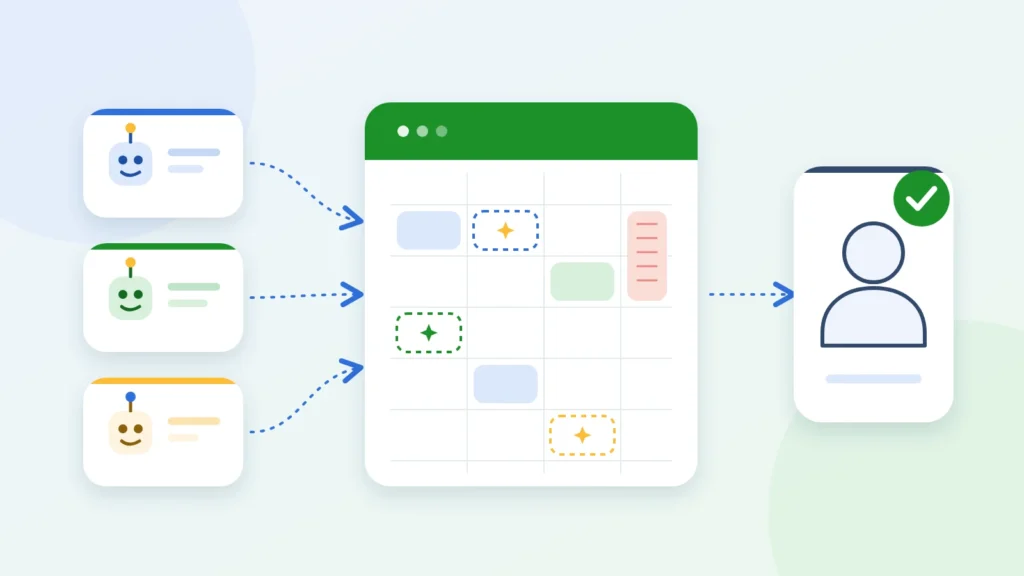
The planning engine stays the source of data and rules. AI can make it easier to use and to read. This section describes the approach, not a list of PlanningPME features: for what the software offers today, ask us.
Answers questions about the plan, summarizes conflicts and suggests alternatives.
You accept, change or discard each suggestion and own the result.
Availability, absences and overlaps stay in the shared calendar, which remains the reference.
Want to know what PlanningPME does today?
Discover PlanningPMEThe order matters. Without a shared culture, even a good tool gets used badly.
Training and the EU AI Act
Article 4 of the EU AI Act asks organizations that provide or use AI systems to take measures so that their staff, and others who use AI on their behalf, have a sufficient level of AI literacy, considering their experience, the context of use and the people affected. This is a general reference, not legal advice: check your obligations with a legal advisor.
No. Scheduling needs a tool that stores the plan and applies defined rules, such as availability, absences and overlaps. AI can make that tool easier to question and read, but the planning software stays the reference.
Treat it as a proposal. Check any date, number or assignment against the real plan before acting on it, and ask for the source of facts that matter.
It depends on the tool and the data. Decide which tools are approved, which data may be shared and who answers for it, and write it down as a short usage policy. Personal and confidential data need extra care.
With one low-risk use that has a clear value, such as drafting or summarizing text, a named contact person and a review after a few months. Explain to the team what AI can and cannot do before you introduce any tool.
No. A planning tool already saves time through a shared calendar, absence management and overlap alerts. AI is an addition that can be useful once people and data are ready.
The EU AI Act, in Article 4, asks organizations that provide or use AI systems to support the AI literacy of their staff and of others who use AI on their behalf. Requirements depend on your case, so check the current text with a legal advisor.