PlanningConnect Modules

Available modules

PlanningConnect has dedicated modules for each company role

Planners managing a tool as good and flexible as PlanningPME have sometimes other specifical needs. A calendar view is not alway confortable if you want simply to check the status of completation of a Project, or if you need to send quickly the list of pending task to a Client or a Resource. Human Resources, Service, Account managers do not expect having information from a calendar, that’s why PlanningConnect has been created.

PlanningPME is focused on planning roles. PlanningConnect offers a variety of functions built for speed up several company processes.

Backoffice daily job

Base Modules

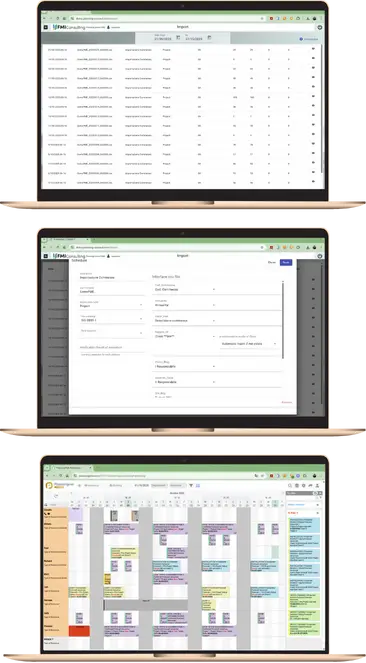
The Base Suite of Planning Connect contains some basic functionalities dedicated to consulting the PlanningPME database, following the same logic. All events in the database are listed, providing the main data and allowing filters by period, activity, status, and resource.

As in PlanningPME, different “views” are available. Consultations can be initiated by focusing on Project, Client, Resource, Department, Activity Type, and calendar period.

The consultation is very fast and immediate and allows exporting the displayed data to an Excel file.

The difference compared to the classic data extraction mode available in PlanningPME is fundamentally the ease and immediacy of consultation.

The data is always updated in real-time, the reading of the data is complete, and it reports events associated with Projects, Clients, Resources that have been ‘hidden’ in PlanningPME over time

Timesheets e travel costs

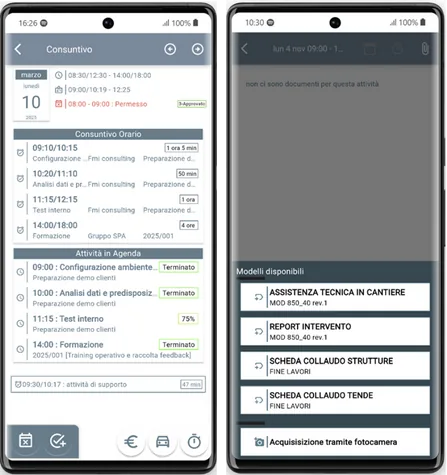
Each User, using the Mobile App, store his own working time and costs into each assigned task. You can get the most from this action having automatically the overall view of the ordinary time, overtime hours, permits, holiday, sickness coming from the PlanningPME calendar. You have your data automatically calculated and presented in detail and summary by month, by  Resource, by Contract and Client. This module works smothly integrated with Client & Project Analisys module.

Documents in cloud

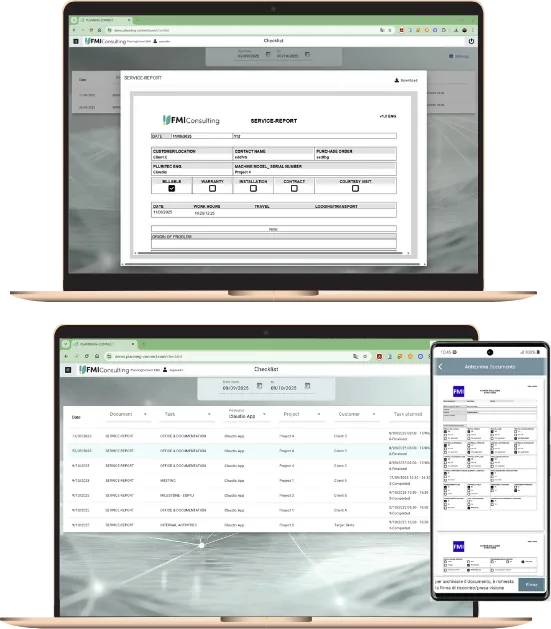
Do you need a simple way to collect, retrieve and share work order documentation? Just after the on-site signature, each document is immediately available for your office colleagues. You can obtain your client’s signature through a secure process if you fail to get it. You are free to use your cloud documents area.

Printing Work plans

Do you need a large format print of the PlanningPME calendar? here you can select a period and the resources you want to have into your print. You can have in a pdf format the working plan by Resource and share it via email, Wattsapp, Telegram or print it.

On field Execution

Mobile App full

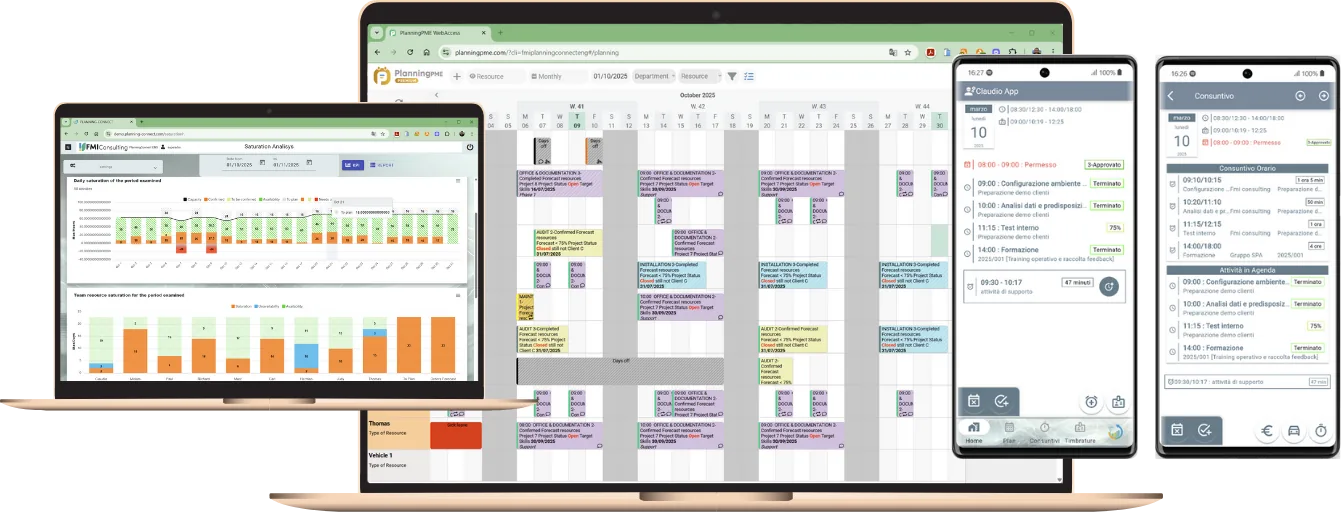
Each User can create new Tasks in his own Agenda and make them visible immediately into the PlanningPME overall calendar. Each user can register his own Working Time and Travel costs, input details about his work, and close his job. He can collect the client’s signature directly on the report and store it automatically into the PlanningConnect cloud storage.

Clocking in and out

Along with the scheduled task management functionalities, this module allows you to add a time and attendance tracking tool for all of your employees. By indicating their arrival and exit times, each employee may show whether they are present. As option, w hen an employee clocks in, the module enables them to confirm their GPS location by comparing it with the clocking address. Off-site attendance can likewise be recorded using this stamping method in connection with a scheduled activity. On request from the client, data extraction can be done in a customised format or in the standard Excel format.

Checklists and Work report

Avoid collecting paper, digitalize your modules, share and store them automatically in a safe mode. Each document can be customized on your need and formats. Data collected using checklists can be inserted into PlanningPME or stored into a dedicated database. You can define several document’s templates and collect signatures when needed, both on site or in a differed time using a safe authentication.

Take and store pictures

Do you need stop loosing time on searching of pictures using the file name? Do you need to find the photos taken on site during an intervention? Take all the pictures you need and store them automatically into a document template. Automatically all your pictures will be available into the selected graphical format in a pdf file document into your cloud storage, available for searches by Client, Activity date, Project, Resource.

Analysis

Staff Saturation analysis

Staff saturation is one of the most interesting analysis you can get from your planning data. We consider unvailabilities and staff, so you can see your work capacity. We match task assignements and pending by date. Simply selecting a date period you can see the actual workload your staff is carring on. This way, you can quickly see and resolve critical situations in advance by adopting the most appropriate solutions. This analysis is available in days or hours depending on your business needs.

Monitoring Clients and Projects

You can easily get the full control of the state of the art of each Projet. You can avoid loosing time asking for report to your staff responsibles. Select Clients or Projects and click to get the picture of current situation. Managing your specific progress Status in PlanningPME, offers a real time analysis of the state of the art of your activities. You can check targets and real situation on the run.

Automations

Data import from ERP via csv

Do you need to import massive data and keep them updated in relation to ERP processes? We can import and keep up to date all your data. This import module is fully parametric, you can use your own table structure and map each field in relation to existing standard and custom fields available in the PlanningPME database. It’s the simplest way to manage external data in PlanningPME. Includes an SFTP area where you will send your data and the module will import. 

Whan this is not what you need we can import and manage your data following you needs.

Gantt Project wizard & templates

When you are used to plan standard with sequence of tasks, or you need to plan by phases, then you need this module. Here you can define your own template and create several Project schedule in seconds.

A full control of the tasks available in PlanningPME, and the related resources, grant to get automatically all your tasks in PlanningPME calendar. Here you can combine the hierarchical approach of a Gantt and the calendar task assignement of PlanningPME getting the most from both tools.

You can plan starting from a specific reference date, or you can conside this date as an End date and ask for a reversal schedule. The module will calculate End date of the project or the beginning date when you need to start from.

Email scheduling

This module is a fully automated tool for sending emails in relation to specific condition the user can set. If you need to weekly send a list of “Completed Tasks” to the Project Manager by Client and Project the module will do it for you. Stop asking to your collegue about the status of their job, you can schedule to get daily the list of their job with all details. Avoid weasting time asking for data available in your shared calendar tool, PlanningPME grants updated information, you have only to use them.